 Skip to content
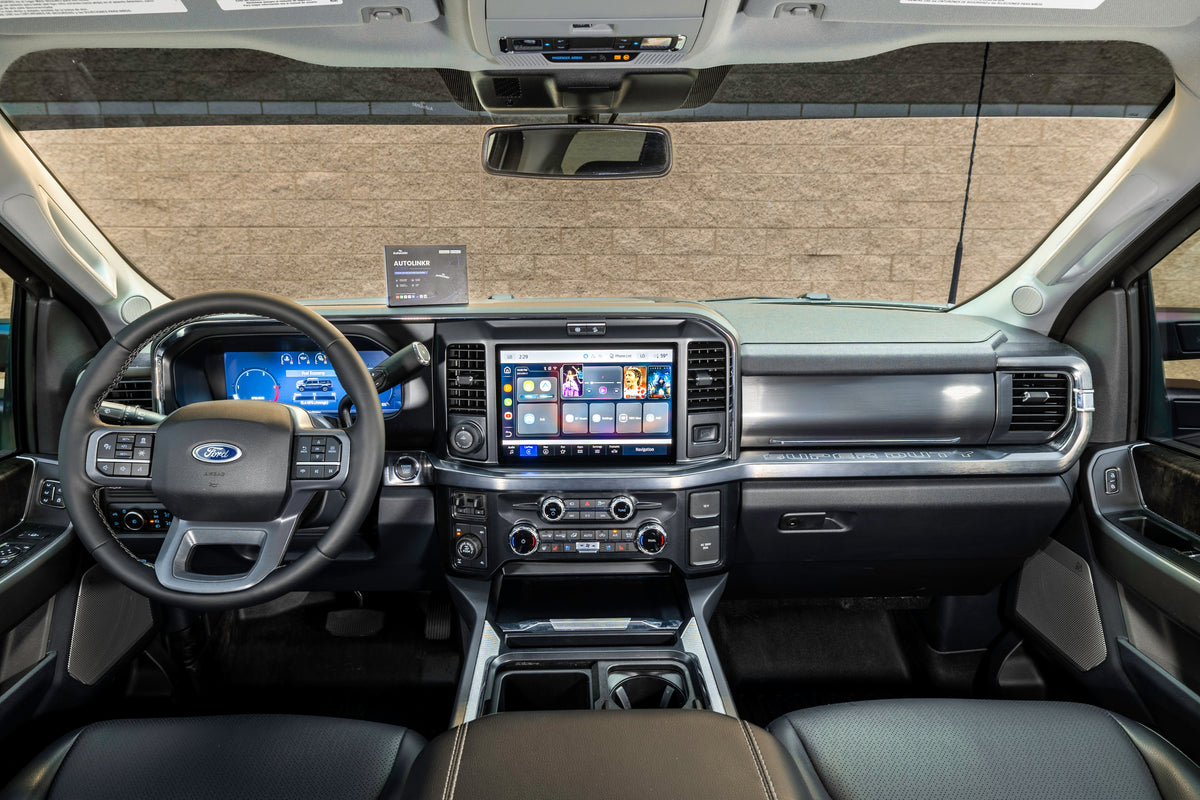
Short answer: You can watch YouTube on your car's screen in three ways: a streaming CarPlay adapter that runs the YouTube app itself (AutoLinkr Pro™, Elite™), a screen-mirroring adapter that shows your phone on the dash (AutoLinkr Lite™), or a portable CarPlay screen for cars with no CarPlay at all (AutoLinkr Tablet™). Neither Apple CarPlay nor Android Auto includes a YouTube video app, so one of these is required.
Why YouTube isn't in CarPlay or Android Auto
Apple and Google restrict in-car projection to audio, navigation and messaging categories. YouTube Music is available for sound, but YouTube video is blocked on both platforms. The restriction is enforced in the phone software, which is why no app update or setting will enable it.
Option 1: A streaming CarPlay adapter (best picture, no phone needed)
AutoLinkr Pro™ and Elite™ are small Android computers that plug into the USB port your car uses for CarPlay. They show the YouTube app directly on the factory screen at the screen's native resolution, with touch control and sound through the car speakers. Because the app runs on the adapter, your phone is free for calls and texts, and you can download videos to the microSD card for offline playback.
- Setup: plug in, wait about 30 seconds, join your phone hotspot or Wi-Fi, open YouTube.
- Bonus: wireless CarPlay and Android Auto, Netflix, Disney+, Hulu and the full Google Play Store.
- Elite™ extra: split-screen, so Google Maps or Waze can run next to the video.
Option 2: Screen mirroring (cheapest)
The AutoLinkr Lite™ makes CarPlay and Android Auto wireless and adds full-phone screen mirroring over dual-band 5.8GHz Wi-Fi. Open YouTube on your phone and the picture appears on the dash with almost no lag. Mirroring is great for YouTube, TikTok, photos and any non-DRM app; Netflix and Disney+ block mirrored playback, so choose Pro™ or Elite™ if those matter.
Option 3: A portable CarPlay screen (for cars with no CarPlay port)
If your car is older or never had CarPlay, the AutoLinkr Tablet™ is a 7-inch IPS touchscreen that mounts to the dash or vent. It runs wireless CarPlay, Android Auto, YouTube, Netflix and the Play Store on its own, and sends audio to the car through Bluetooth or an FM transmitter. Power comes from the 12V socket or USB.
Comparison: which way should you go?
| Lite™ (mirroring) | Pro™ (streaming) | Elite™ (streaming + split-screen) | Tablet™ (standalone screen) | |
|---|---|---|---|---|
| Needs a working CarPlay / Android Auto port (factory or aftermarket, wired or wireless) | Yes | Yes | Yes | No |
| YouTube | Yes (mirrored) | Yes (native app) | Yes (native app) | Yes (native app) |
| Netflix / Disney+ | No | Yes | Yes | Yes |
| Offline downloads | On phone | microSD up to 128GB | 64GB built in + microSD | Yes |
| Price | $49.99 | $89.99 | $199.99 | $74.99 |
Step by step: YouTube on your car's screen with AutoLinkr Pro™
- Plug the adapter into the CarPlay USB port (USB-A or USB-C cable included).
- When the AutoLinkr home screen appears, open Settings → Wi-Fi and join your iPhone or Android hotspot.
- Open YouTube from the Play Store, sign in with your Google account, and play.
- Tap the CarPlay icon to pair your iPhone over Bluetooth once; every later drive connects automatically.
Frequently asked questions
Does YouTube on the car screen need Wi-Fi?
It needs an internet connection. A phone hotspot is the usual choice and works on any carrier; home Wi-Fi works for downloading videos before a trip.
Can the driver watch while driving?
No. Video is for passengers and parked vehicles. Most states ban driver-visible video in motion. AutoLinkr adapters do not restrict playback, so use them responsibly.
Will the picture be as sharp as wired CarPlay?
Yes. The adapter outputs at your screen's native resolution, so YouTube looks the same as any CarPlay app.
Which cars are compatible?
Any car or aftermarket stereo with Apple CarPlay or Android Auto, about 97% of vehicles since 2016, except Tesla, Rivian, Lucid, Polestar, NIO and BMW 2019+. See the compatibility page.
Share:
AutoLinkr Lite vs Pro vs Elite: Which Wireless CarPlay Adapter Is Right for You?
Wireless CarPlay Adapter Buyer's Guide (2026): What Actually Matters