 انتقل إلى المحتوى
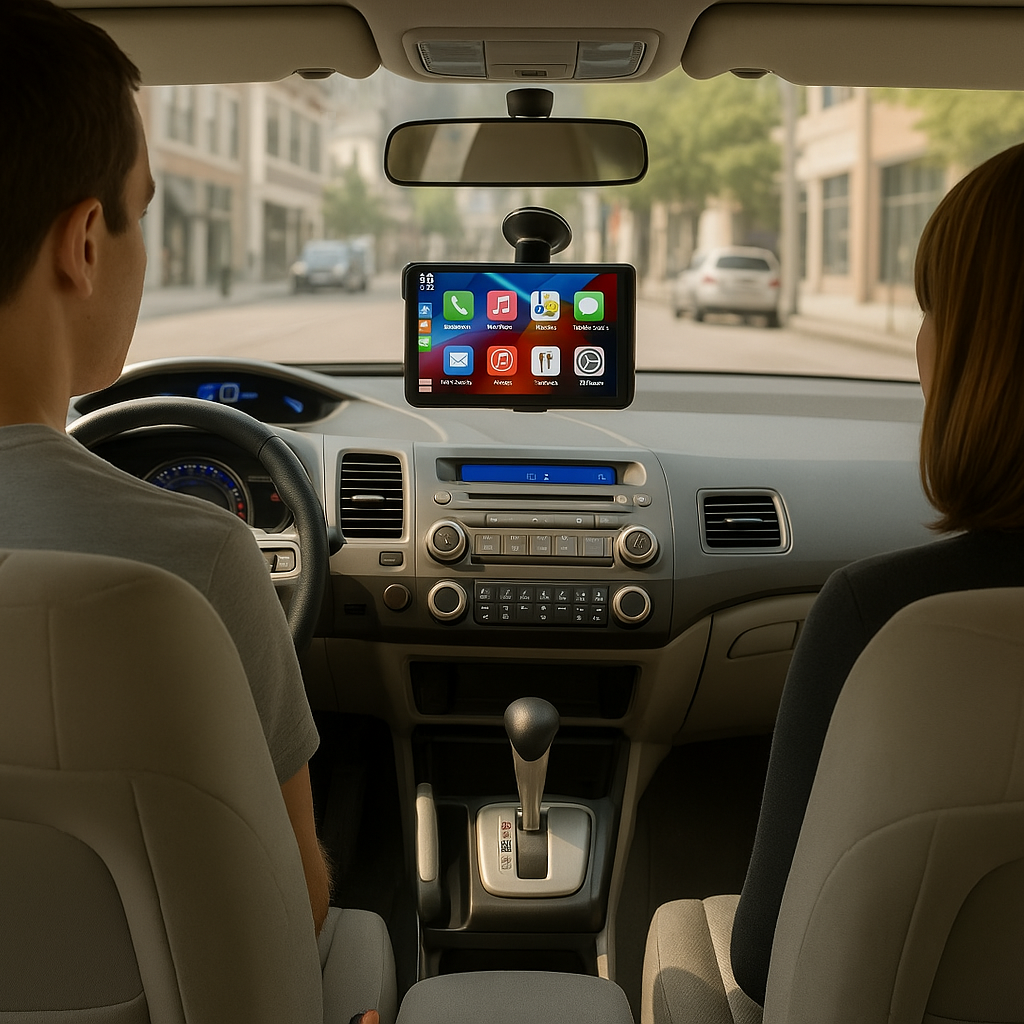
Short answer: If your car has no Apple CarPlay or Android Auto, the fastest way to add it is a portable CarPlay screen such as the AutoLinkr Tablet™ ($74.99). It is a 7-inch touchscreen that mounts to your dash or air vent, runs wireless CarPlay, wireless Android Auto, Netflix, YouTube and the Google Play Store on its own, and plays audio through your existing stereo by Bluetooth or FM. Setup takes about 60 seconds and needs no wiring. The alternatives, a new head unit or a dealer retrofit, cost $300 to $1,500 plus installation.
Three ways to get CarPlay in a car that doesn't have it
| Method | Cost | Install | Keeps factory stereo? | Streaming apps? |
|---|---|---|---|---|
| Portable CarPlay screen (AutoLinkr Tablet™) | $74.99 | 60 seconds, no tools | Yes | Yes (Netflix, YouTube, Play Store) |
| Aftermarket head unit (Pioneer, Kenwood, Sony, etc.) | $300 to $1,000 + $150 to $400 install | Professional, dash disassembly, wiring harness | No (replaced) | No (unless Android head unit) |
| Dealer / OEM retrofit kit | $500 to $1,500 | Dealer visit; only some models | Yes | No |
How the AutoLinkr Tablet™ works
- Mount it. The included universal mount attaches to an air vent or the dashboard. Position it where the screen is easy to see without blocking your view.
- Power it. Plug the USB-C cable into your car's USB port or the included 12V adapter.
- Pair your phone. Turn on Bluetooth and Wi-Fi, tap the CarPlay or Android Auto icon, and accept the pairing prompt. From then on it connects automatically.
- Send audio to the speakers. Either pair the Tablet™ to your stereo over Bluetooth, or tune your radio to the Tablet's FM transmitter frequency, or use the 3.5mm AUX output if your stereo has an input.
You now have Apple Maps, Google Maps, Waze, Spotify, Siri and Google Assistant, calls and messages on a bright 7-inch IPS display (1024 x 600), plus Netflix, YouTube, Hulu and Disney+ for passengers and parked time.
Who it's for
- Cars from before 2016, classic cars, work trucks and fleet vehicles with basic radios.
- Cars with no screen at all, or a small factory display without CarPlay.
- Teslas, Rivians and other EVs without CarPlay (the Tablet™ runs independently of the car's system).
- Drivers who do not want to cut into the dash or lose their factory stereo.
Specifications
- Screen: 7-inch IPS HD touchscreen, 1024 x 600, adjustable brightness with day and night modes
- Wireless: Bluetooth 5.0, dual-band 2.4GHz / 5GHz Wi-Fi
- Projection: wireless Apple CarPlay (iPhone 7+, iOS 10+) and wireless Android Auto (Android 11+)
- Audio out: Bluetooth, FM transmitter, AUX
- Apps: Android-based with Google Play Store, Netflix, YouTube, Hulu, Disney+, Waze, Google Maps, Spotify
- Power: USB-C from the car's USB port or included 12V adapter
- In the box: Tablet™, universal vent / dash mount, USB-C cable, 12V adapter, quick-start guide
Tablet™ vs an AutoLinkr adapter: which do I need?
If your car already has wired CarPlay or Android Auto, you do not need the Tablet™; an AutoLinkr Pro™ or Elite™ uses your factory screen and adds wireless connection and streaming. The Tablet™ is specifically for cars with no CarPlay at all. Still unsure? Run the 30-second test on the compatibility page.
Frequently asked questions
Does it work with my factory stereo?
Yes. Any radio with Bluetooth, an AUX input or an FM tuner can receive the Tablet's audio.
Is it legal to mount a screen on the dash?
Dash and vent mounts are legal in all US states as long as the screen does not obstruct the driver's view. Video playback must be for passengers or while parked.
Does it need a data plan?
CarPlay and Android Auto use your phone as usual. Streaming apps need internet from your phone's hotspot or Wi-Fi.
What is the return policy?
30 days from delivery for store credit, and a 1-year warranty against defects.
مشاركة:
Wireless CarPlay Adapter Troubleshooting: Disconnects, Lag, Pairing and 'No Certificate Found'
Wireless CarPlay Adapter Compatibility: Which Cars Work (and Which Don't)